
Additional Questions
Effortless Event Management for Any Event Type
Additional Questions
The “Additional Questions” feature lets you collect custom information from ticket buyers and attendees during the purchase process.
🛠 Where to Set It Up
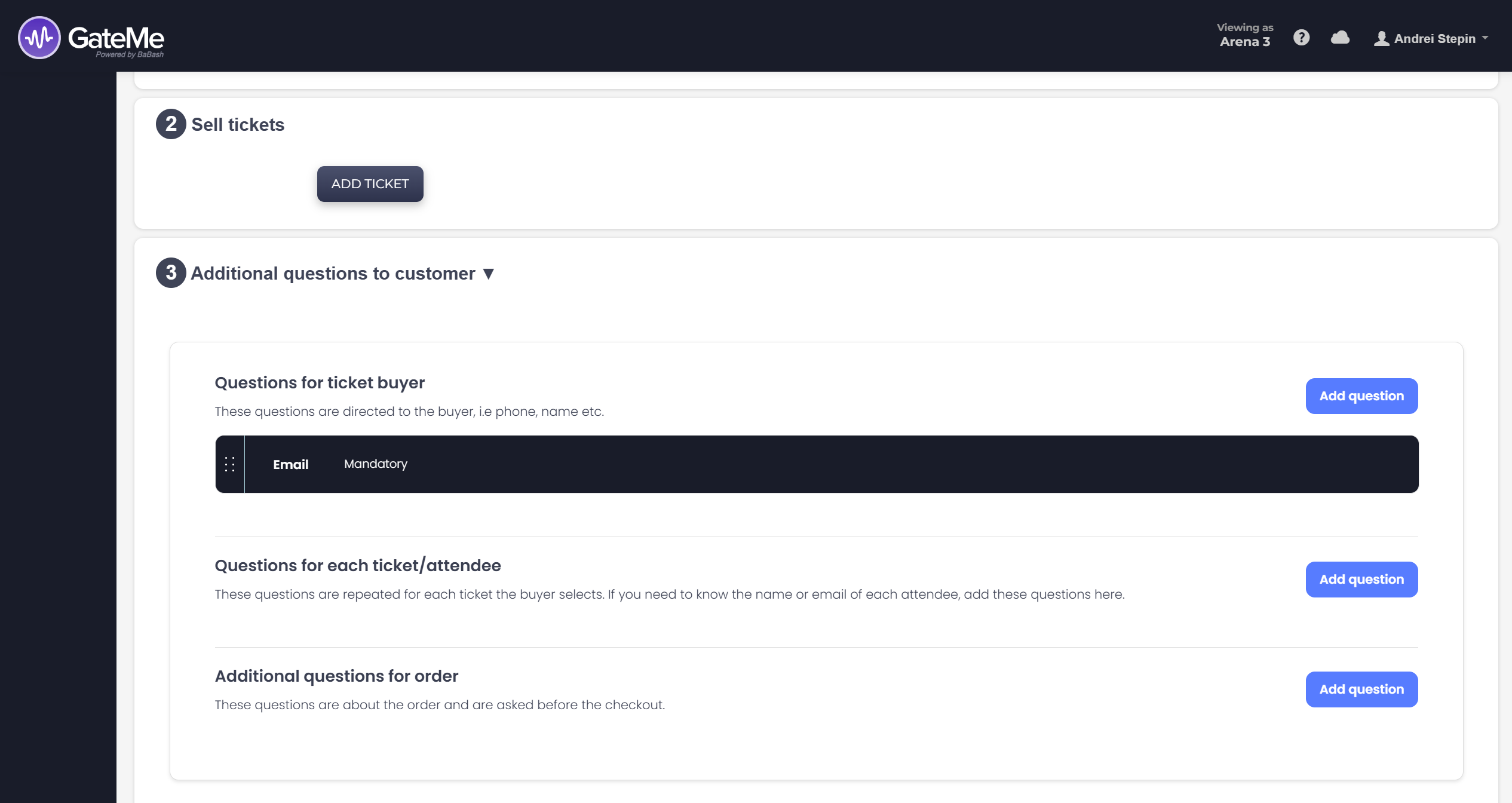
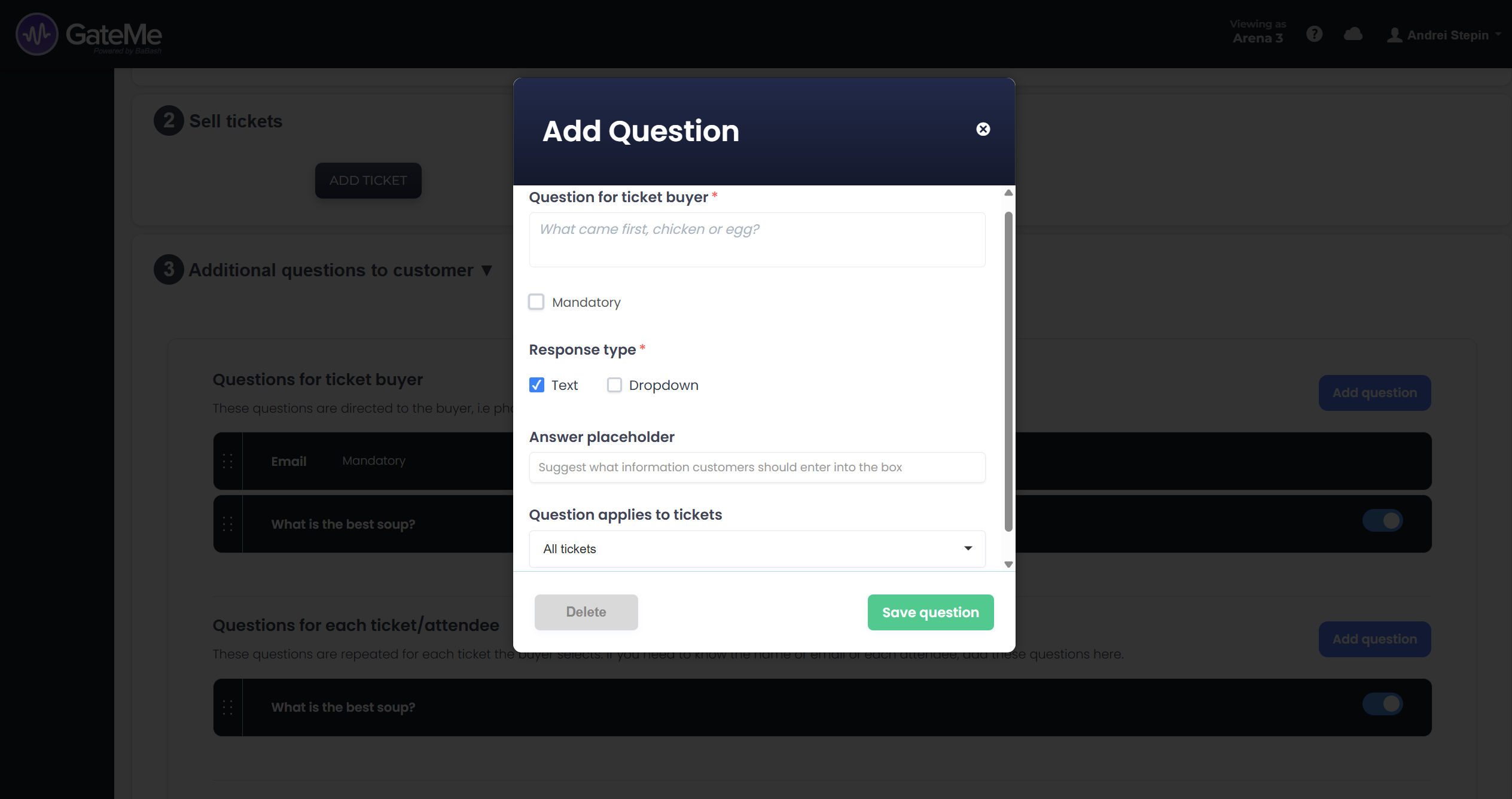
This step becomes available after you’ve added tickets during event creation. It will appear as Step 3: Additional Questions to Customer. You can add various question types, tailor them to your event’s needs, and decide which ones are mandatory.
💡 Question Types You Can Add
-
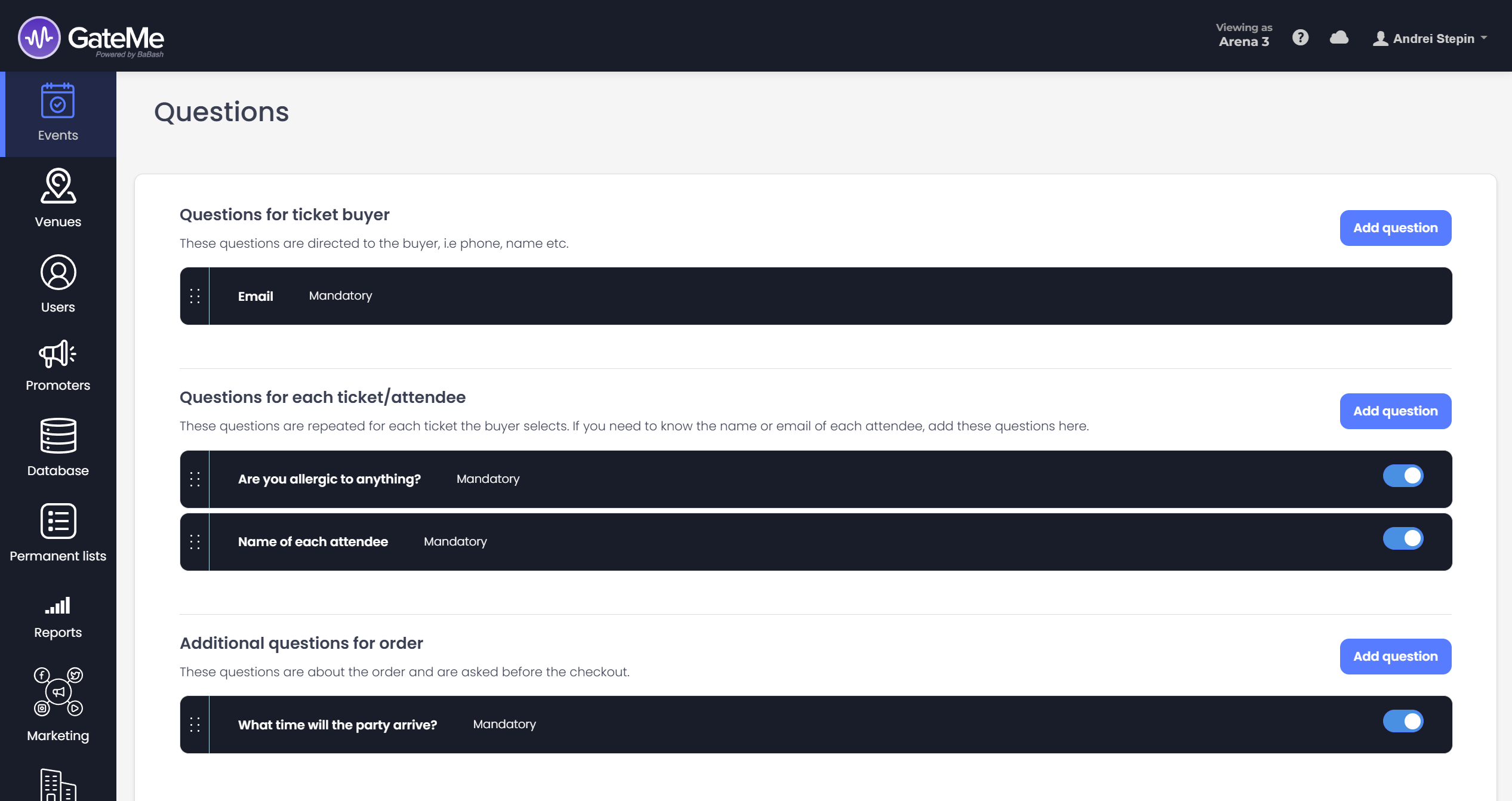
Questions for the ticket buyer (e.g. Email, Phone)
-
Questions for each ticket/attendee (e.g. Name, Dietary Restrictions)
-
Order-level questions (e.g. Arrival time, Group details)
You can choose between text responses or dropdowns, and even set placeholders to guide customers on what to enter.
✏️ Editing Questions Later
After your event is created, you can always go back and adjust these questions. To do this, head to your Dashboard, locate the event, and click “Order form” under the event controls. From there, you can view, edit, or add new questions at any time.
🧠 Why Use This?
This tool is perfect for collecting essential details like:
-
Guest names for table planning
-
Food preferences or allergies
-
Group arrival times
-
Custom RSVP information
Make your event smoother by gathering everything you need before the doors open!
For Event Organizers
Event Creation
Marketing Tools
Reports
Payouts
Marketing&Tracking
Promote Event
Promoters
Seated Tickets
Promo Codes
Permanent Lists
Additional Questions
Check-In Guests
Staff&Users
Free Tickets
Refunds
Database
Guest Lists
For Ticket Buyers
Recover Your Tickets