
Free Tickets
Effortless Event Management for Any Event Type
Free Tickets List Page
The “Free Ticket List” feature in GateMe makes it simple to manage VIPs, sponsors, or special guests who should receive complimentary tickets.
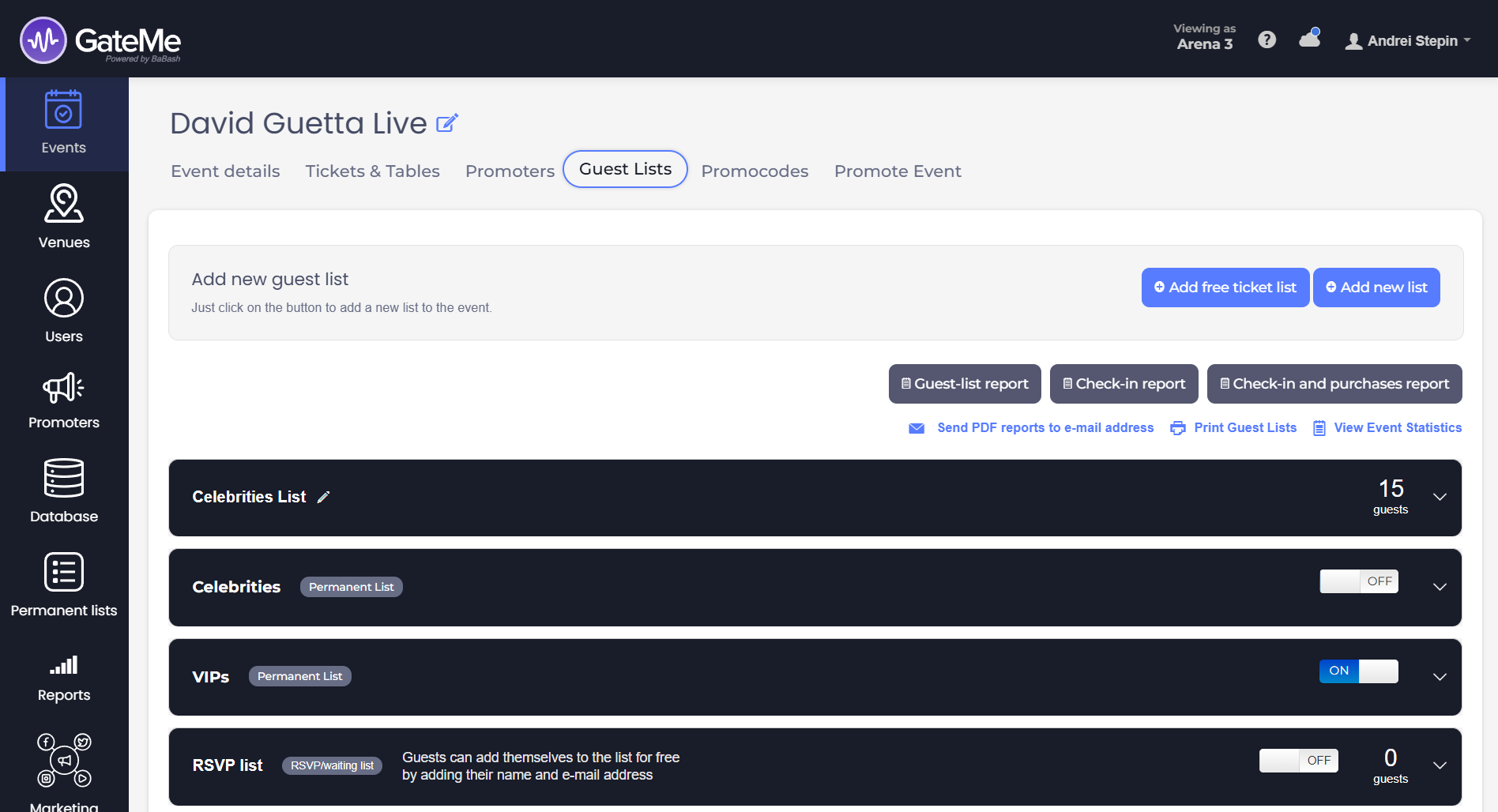
🧭 How to Access It
To open this feature:
-
Go to your Dashboard
-
Click on the event you’re managing
-
Select “Guest lists” under the event
➕ Creating a Free Ticket List
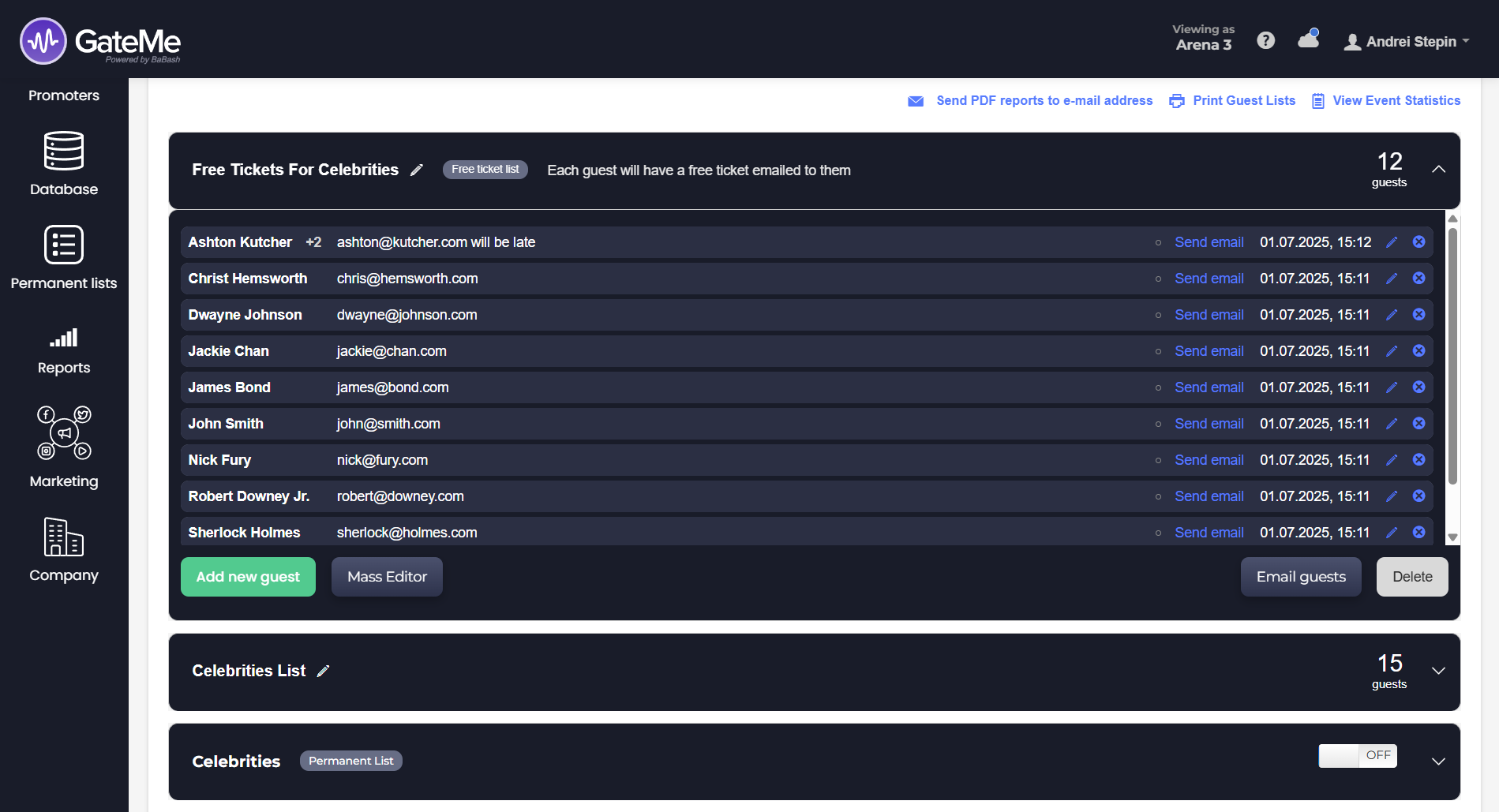
You can create as many free ticket lists as needed. This allows you to segment your guest groups (e.g., press, celebrities, partners) with ease.
To create a new list:
-
Click the pencil/edit icon next to the list title to rename it.
-
Use “Add new guest” to input individual names and emails.
-
Add a note or comment directly in the “Email and comment” field.
👤 Adding Guests
There are two ways to add guests:
-
One-by-One
Use the “Add new guest” button to manually insert each name and email. -
Mass Editor
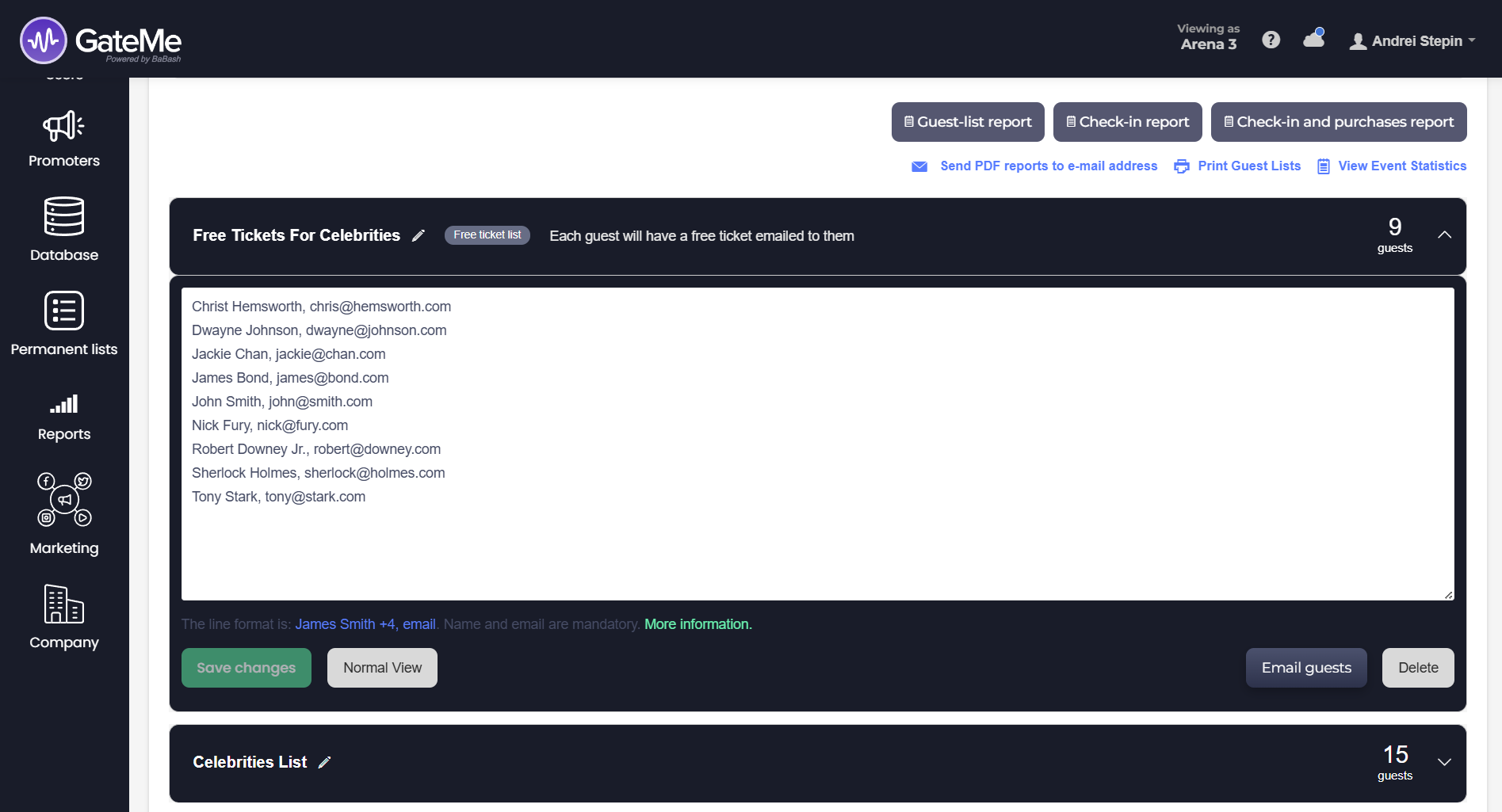
Click on “Mass Editor” to paste or bulk-type multiple guests.
Format: Name + number of guests, email
Example: Ashton Kutcher +2, ashton@kutcher.com
✉️ Sending Free Tickets
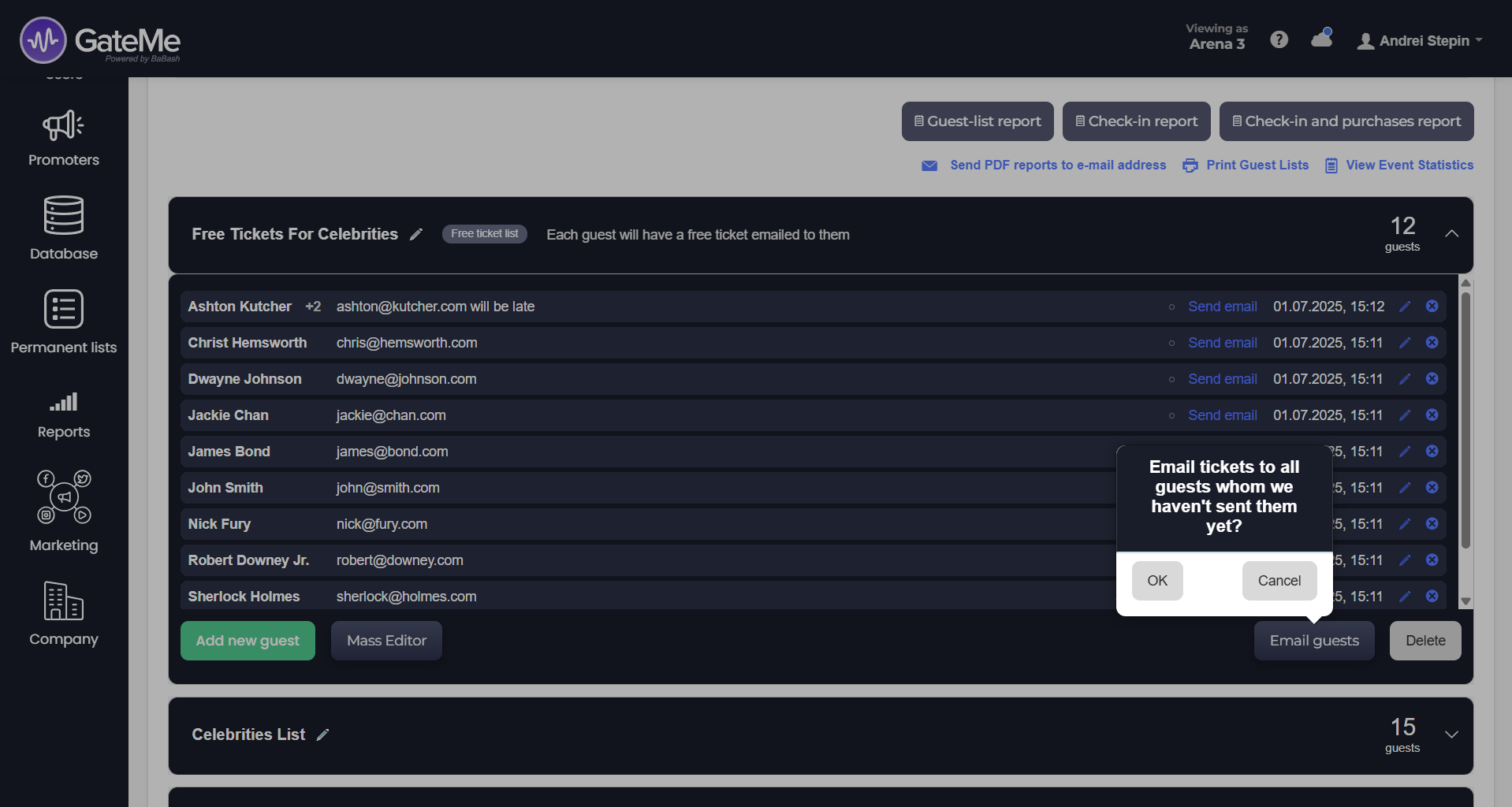
Tickets can be sent in two ways:
-
Individually: Use the “Send email” link next to each guest.
-
In Bulk: Click the “Email guests” button at the bottom. A confirmation popup lets you send tickets only to those who haven’t received theirs yet.
📄 Additional Features
-
🖨️ Print Guest Lists
-
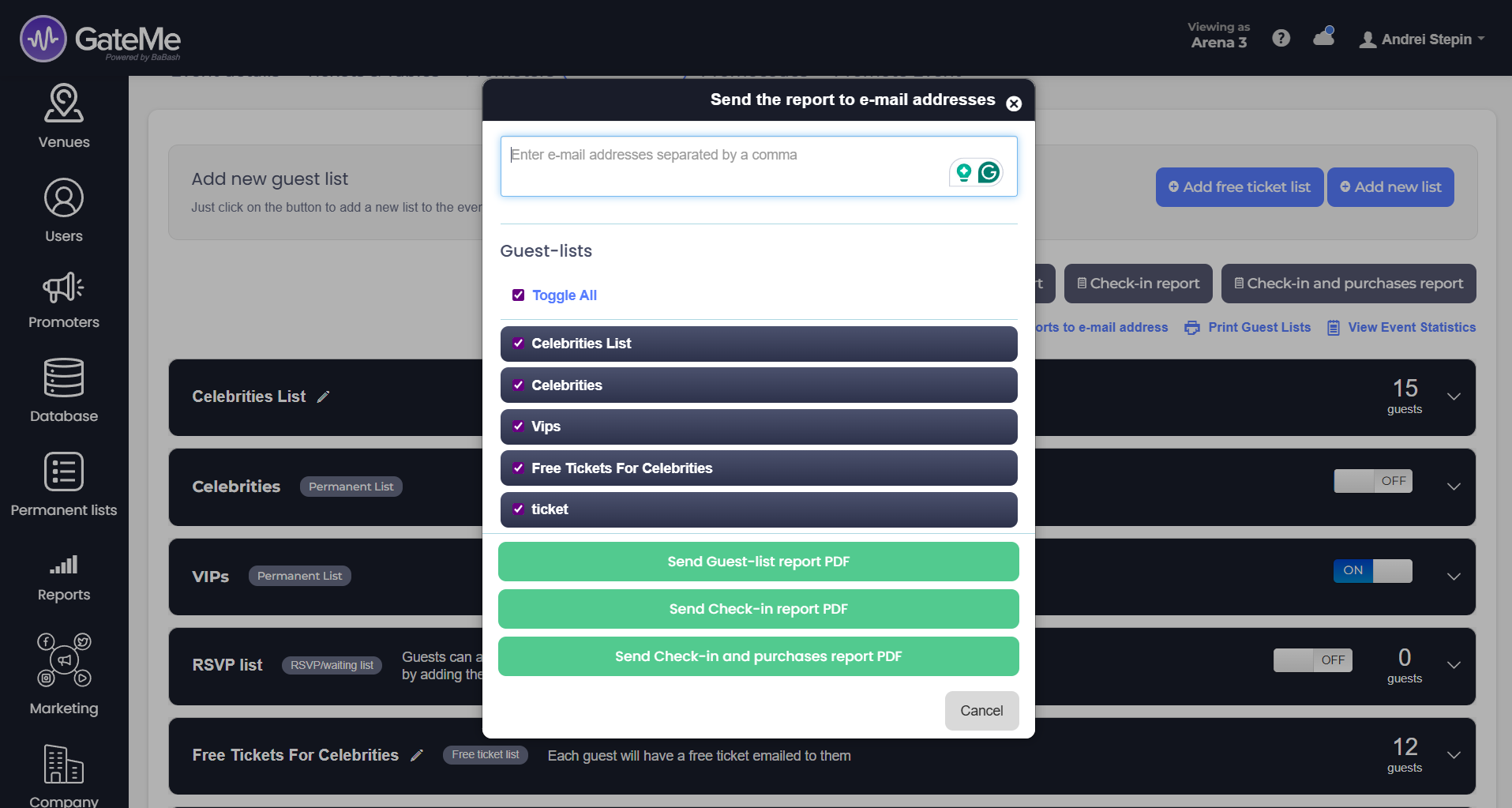
📬 Send Reports via Email
-
📊 View Event Statistics
All accessible via the top panel of your guest list screen.
For Event Organizers
Event Creation
Marketing Tools
Reports
Payouts
Marketing&Tracking
Promote Event
Promoters
Seated Tickets
Promo Codes
Permanent Lists
Additional Questions
Check-In Guests
Staff&Users
Free Tickets
Refunds
Database
Guest Lists
For Ticket Buyers
Recover Your Tickets