
Ticket&Email Description
Effortless Event Management for Any Event Type
Ticket&Email Description
GateMe now gives organizers more control over what attendees see after purchasing a ticket. You can customize both the ticket-specific description and the post-purchase communication, making it easier to share important event information at the right moment.
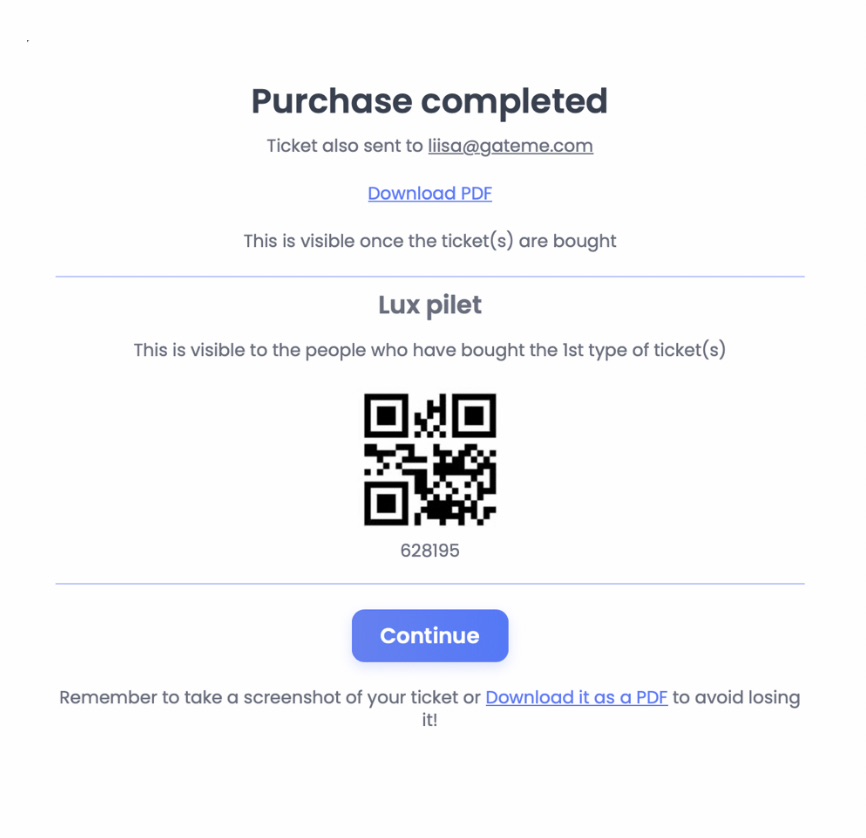
Ticket Description
For each ticket type, you can now add or update a custom description. This is the information attendees will see after purchasing that specific ticket. Go to your event settings and open the ticket section. Select the ticket you want to edit and add the relevant description under the ticket details.
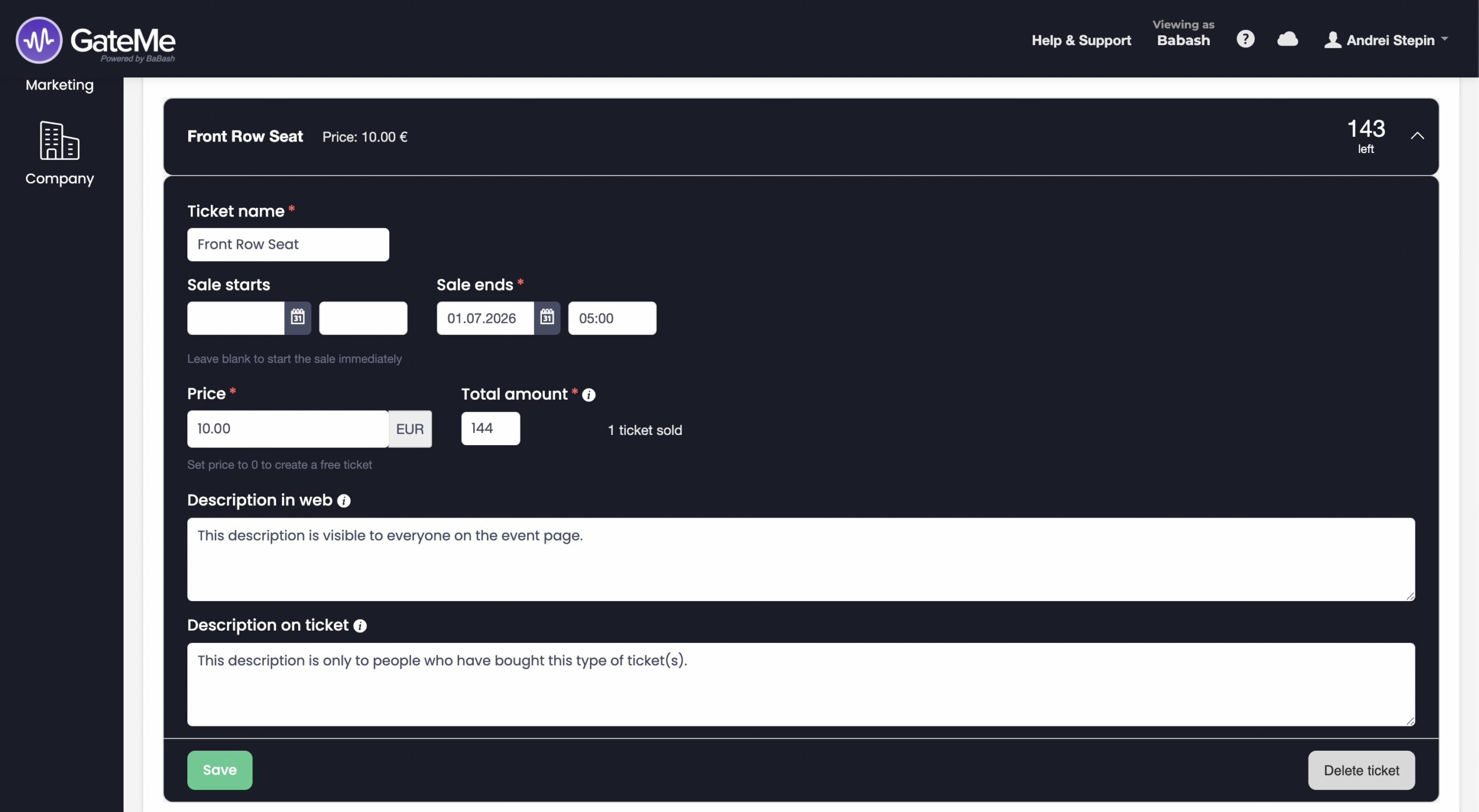
This can be used for:
-
entry instructions
-
VIP access information
-
dress code details
-
arrival times
-
age restrictions
-
special reminders for attendees
This helps reduce confusion and ensures attendees receive the right information immediately after purchase.
Purchase Success Message
You can also customize the message shown on the purchase success page right after the payment is completed and in the email with the purchased tickets.
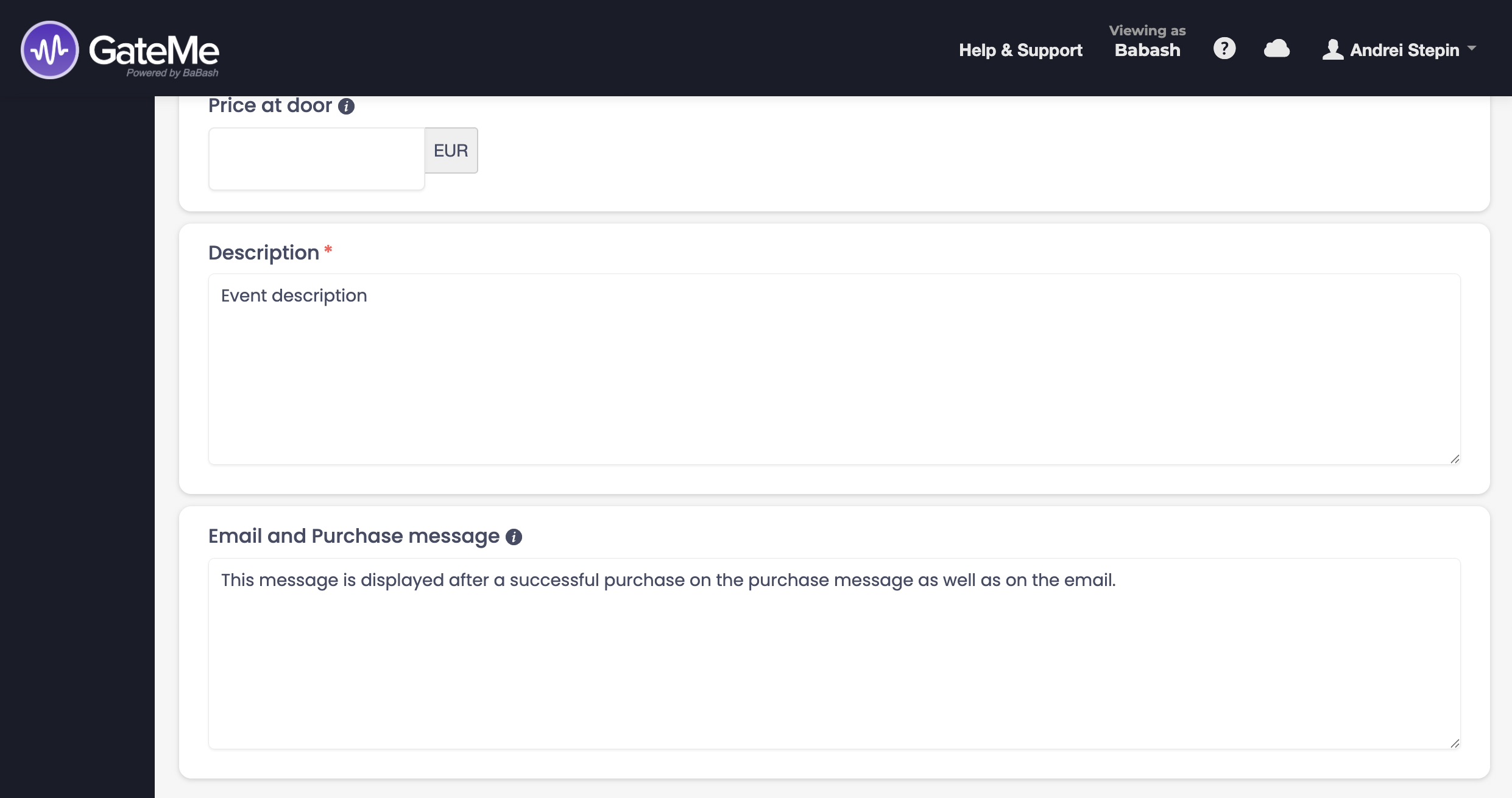
This message is useful for:
-
thanking attendees for their purchase
-
sharing next steps
-
providing check-in instructions
-
linking additional event information
-
reminding guests about important event details
A clear purchase success message improves the customer experience and helps reduce support questions later.
For Event Organizers
Event Creation
Marketing Tools
Reports
Payouts
Marketing&Tracking
Promote Event
Promoters
Seated Tickets
Promo Codes
Permanent Lists
Additional Questions
Check-In Guests
Staff&Users
Free Tickets
Refunds
Database
Guest Lists
For Ticket Buyers
Recover Your Tickets