
Database
Effortless Event Management for Any Event Type
Client Database
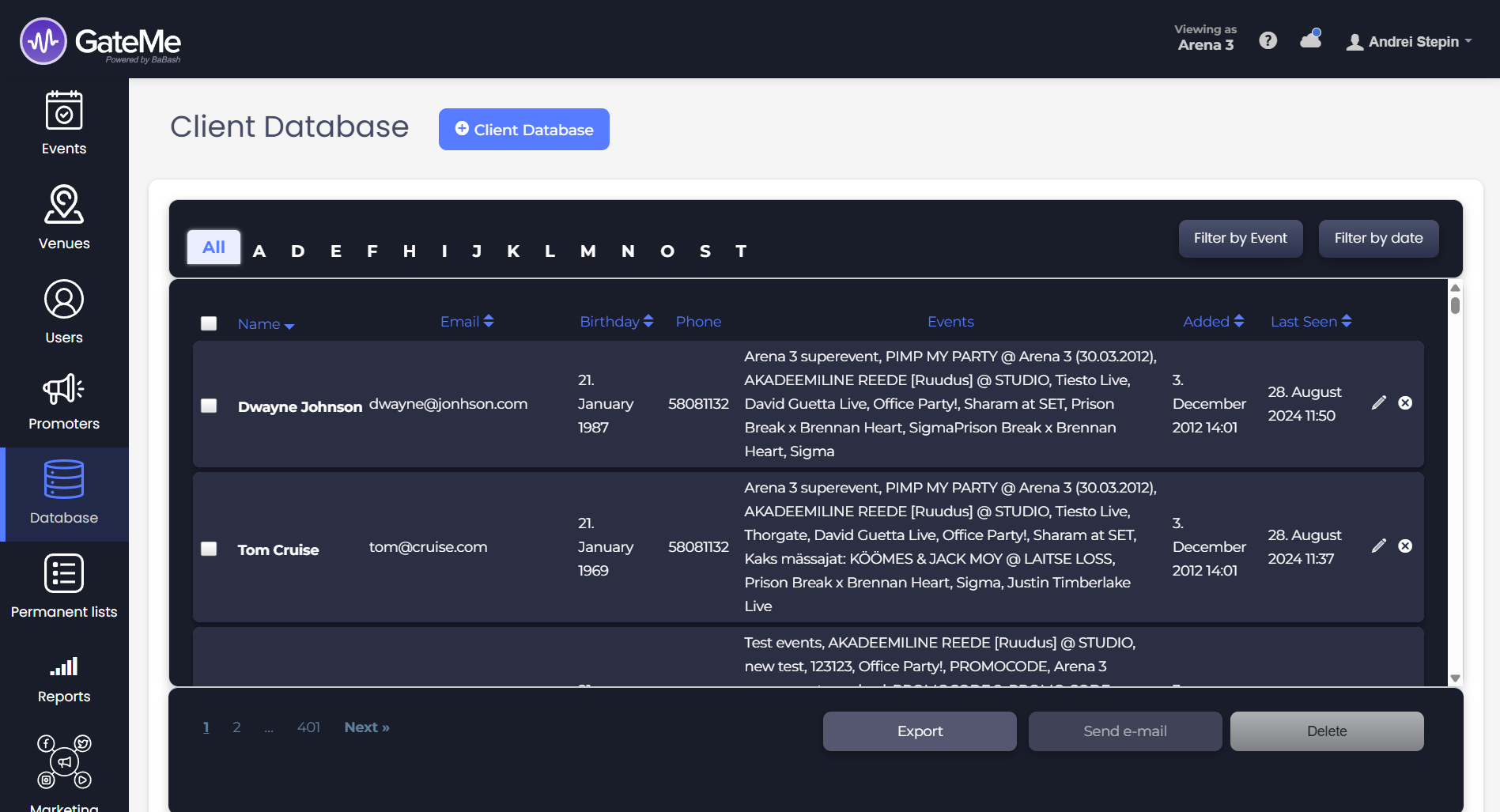
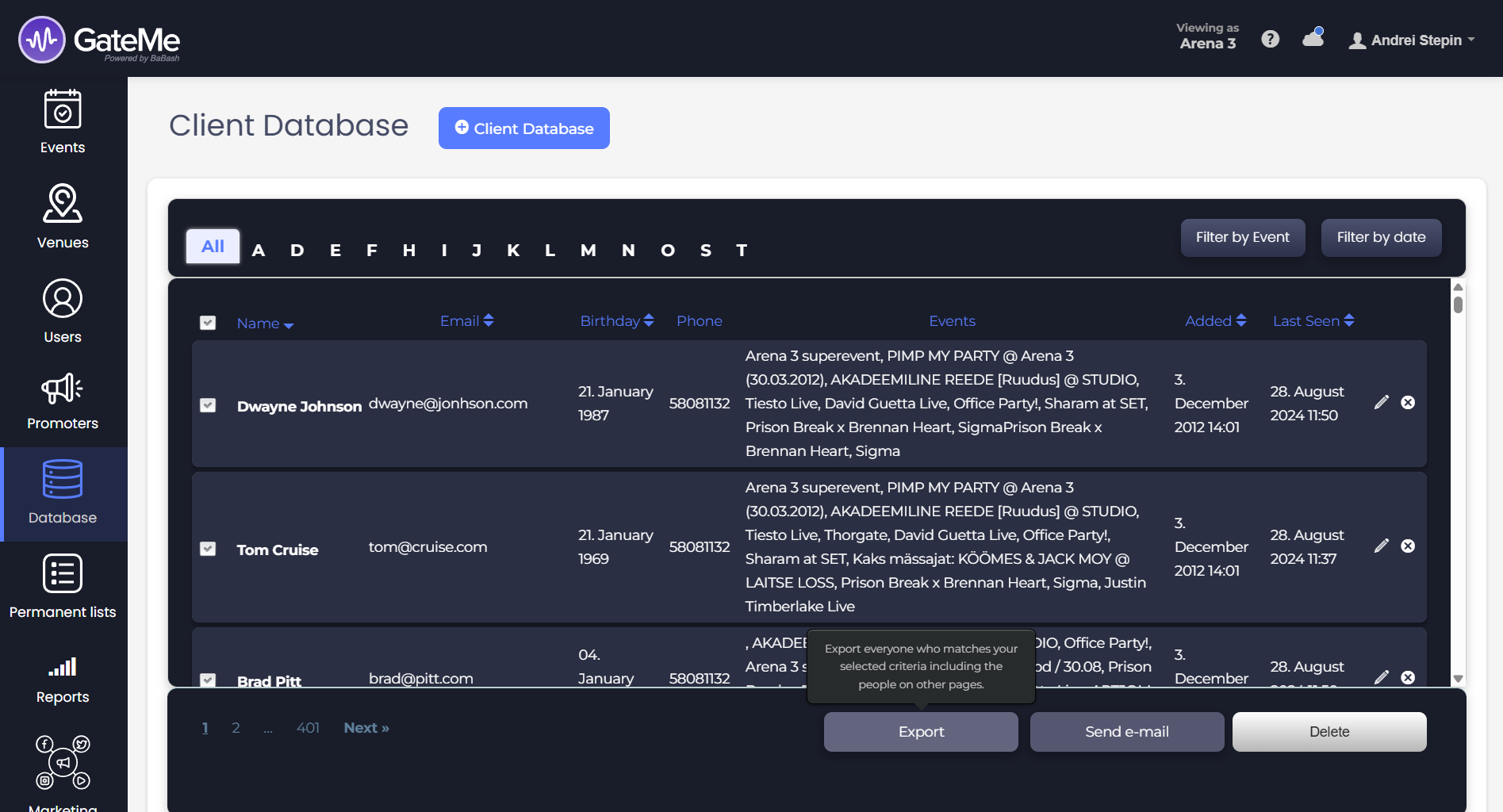
The “Database” page in the GateMe admin panel is your central hub for managing all attendee data — from personal info to past event participation. You’ll find this feature in the left-hand navigation menu.
🧠 How It Works
Whenever a customer registers for an event or purchases a ticket and opts in to receive updates, their information is automatically added to your Client Database.
🔍 Browsing and Searching
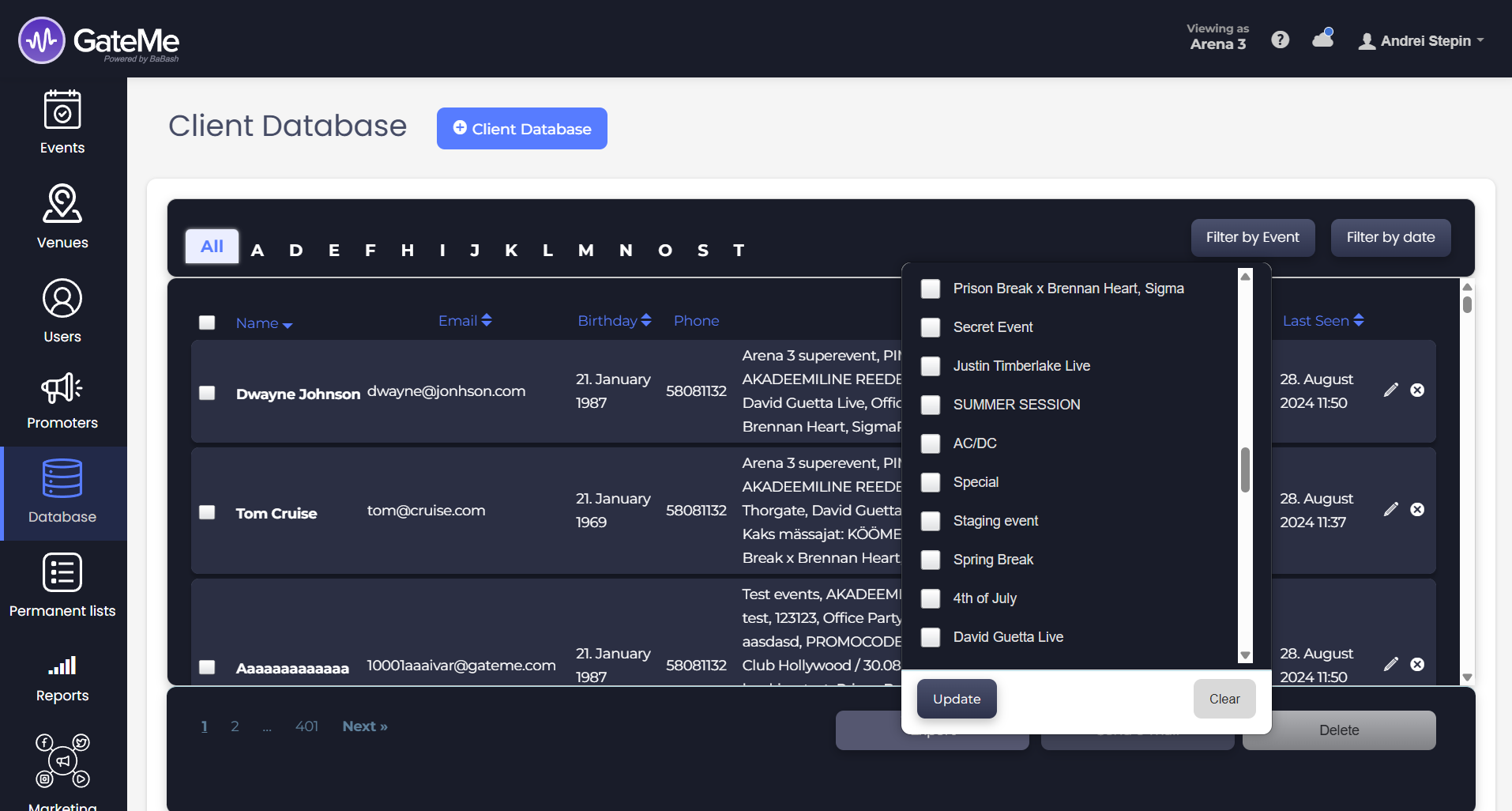
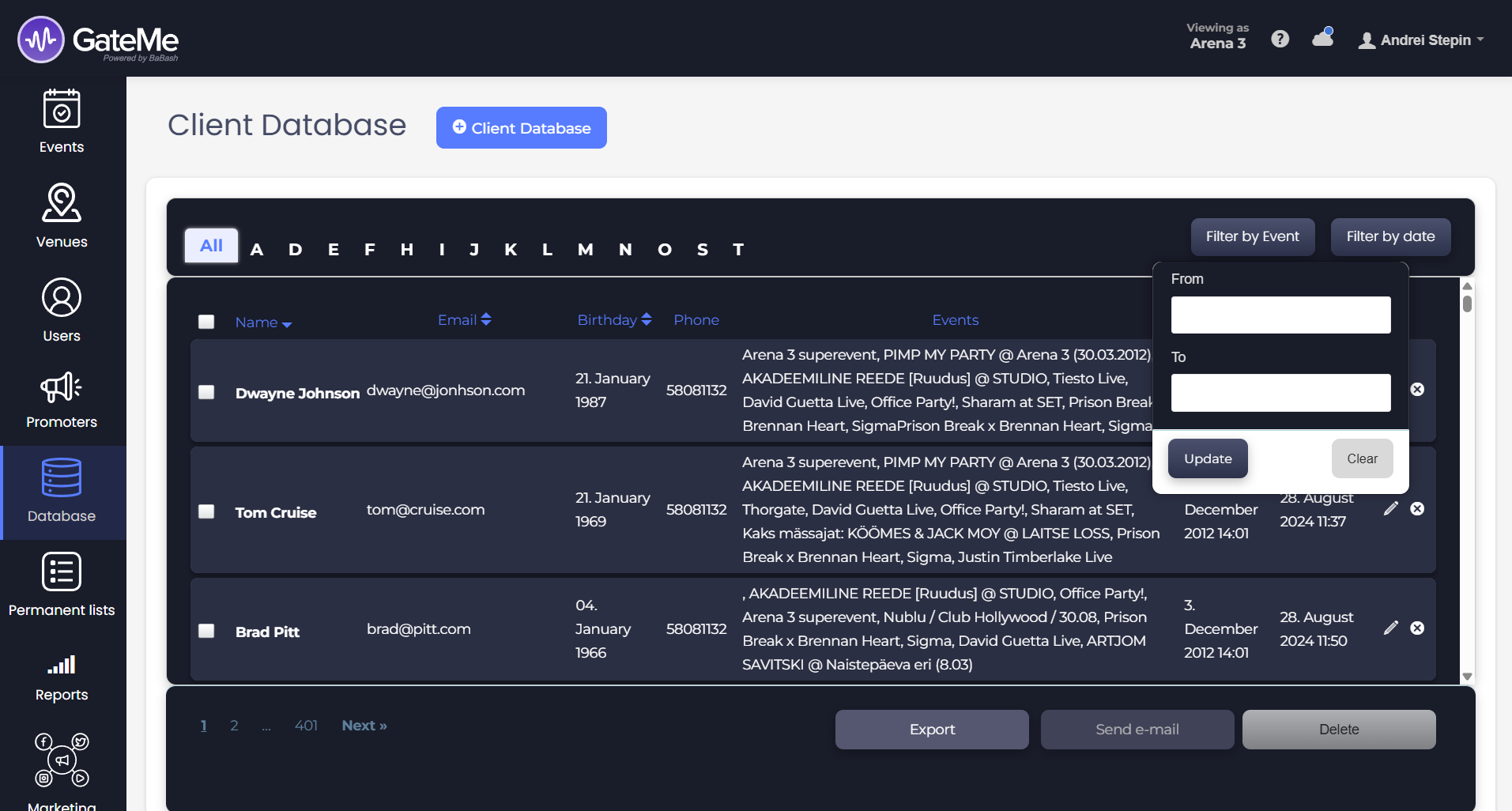
The database is searchable and filterable:
-
Alphabetical Navigation: Quickly jump to users by the first letter of their name.
-
Filter by Event: See attendees of specific past events.
-
Filter by Date: Limit the list by the date they were added or last seen.
📋 What You Can See
Each attendee’s card shows:
-
Full Name
-
Email Address
-
Birthday
-
Phone Number
-
Past Events Attended
-
Date Added to the System
-
Last Seen Timestamp (based on event interaction)
➕ Manually Adding a Client
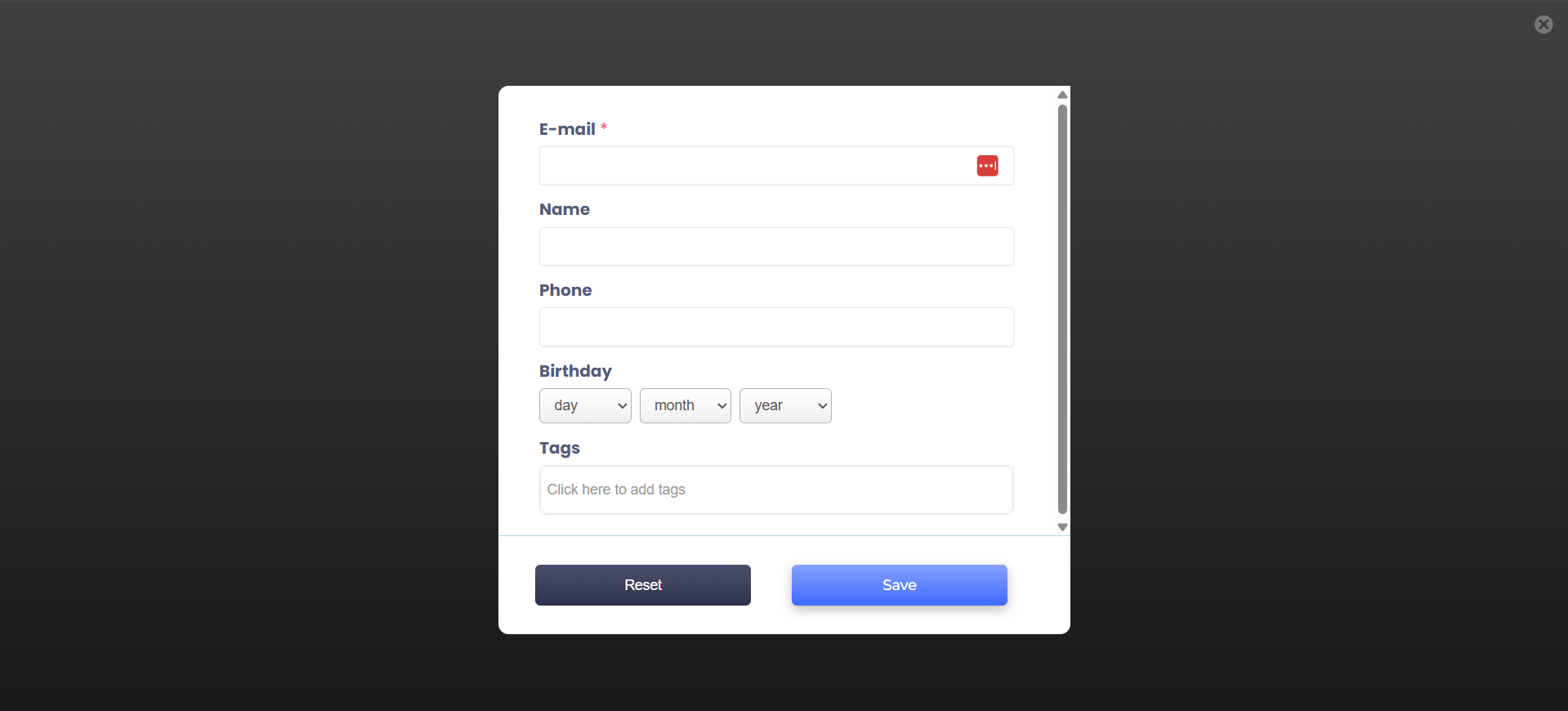
To manually add someone, click the + Client Database button at the top. This opens a form similar to the edit view. Simply fill in their details and hit Save.
📤 Export, Email & Delete
Use the checkboxes to select one or multiple clients. Once selected, the following actions become available:
-
Export to a CSV file
-
Send Email (bulk messaging via your preferred email application)
-
Delete from your database
For Event Organizers
Event Creation
Marketing Tools
Reports
Payouts
Marketing&Tracking
Promote Event
Promoters
Seated Tickets
Promo Codes
Permanent Lists
Additional Questions
Check-In Guests
Staff&Users
Free Tickets
Refunds
Database
Guest Lists
For Ticket Buyers
Recover Your Tickets