
Promocodes
Effortless Event Management for Any Event Type
Promocodes
Promo codes in GateMe are a great way to offer special deals to your guests. Whether it’s an early bird discount or a campaign-specific offer, you can manage it all right from the “Promo codes” tab — once your event and tickets are created.
🎟️ Adding Promo Codes
To create one or several promo codes:
-
Go to your event and click on “Promo codes”.
-
Hit the “Add promo code” button.
-
In the popup window:
-
Enter one or multiple codes (press
Enterafter each code for multiple promocodes). -
Set the discount (as percentage or fixed amount).
-
Define the validity period (start and end date & time).
-
Choose the ticket types the promo applies to (you can set the promo code to all tickets or only chosen ones).
-
Specify the number of available uses (∞ = unlimited).
-
-
Click Save to activate.

📝 Editing a Promo Code
You can modify an existing promo code by:
-
Finding the promo code in the list.
-
Clicking the pencil/edit icon ✏️.
-
Adjust the details (discount, validity, etc.).
-
Save the changes.
🗑️ Deleting a Promo Code
To remove a promo code:
-
Locate it in the list.
-
Click the “X” icon 🗑️.
-
Confirm the action.
Once deleted, the promo code will no longer be valid for ticket buyers.
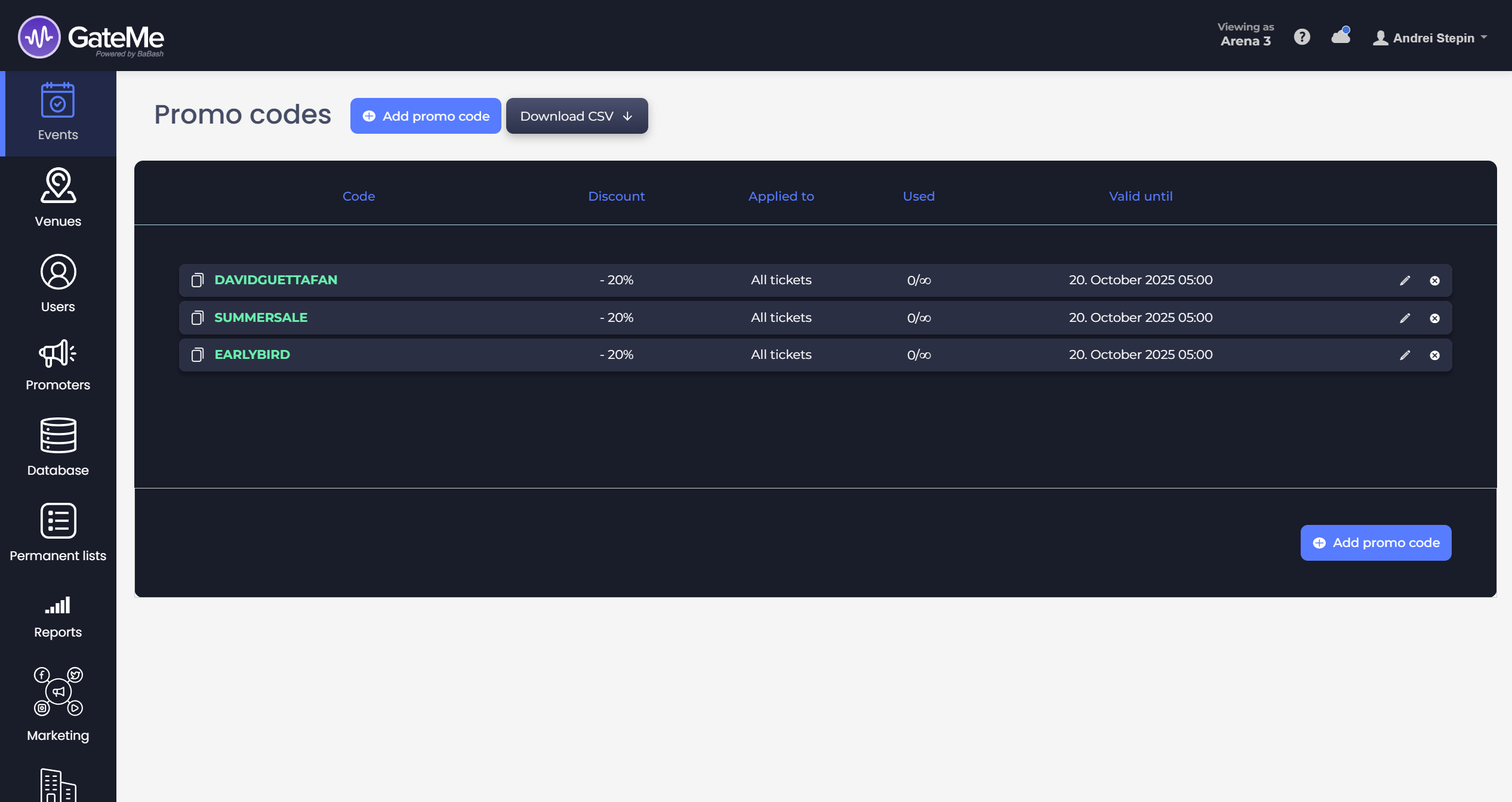
📦 Exporting Promo Codes
Use the “Download CSV” button to export a list of all active promo codes, perfect for keeping internal records or sharing with your team.
For Event Organizers
Event Creation
Marketing Tools
Reports
Payouts
Marketing&Tracking
Promote Event
Promoters
Seated Tickets
Promo Codes
Permanent Lists
Additional Questions
Check-In Guests
Staff&Users
Free Tickets
Refunds
Database
Guest Lists
For Ticket Buyers
Recover Your Tickets