Marketing&Tracking
Effortless Event Management for Any Event Type
Marketing&Tracking
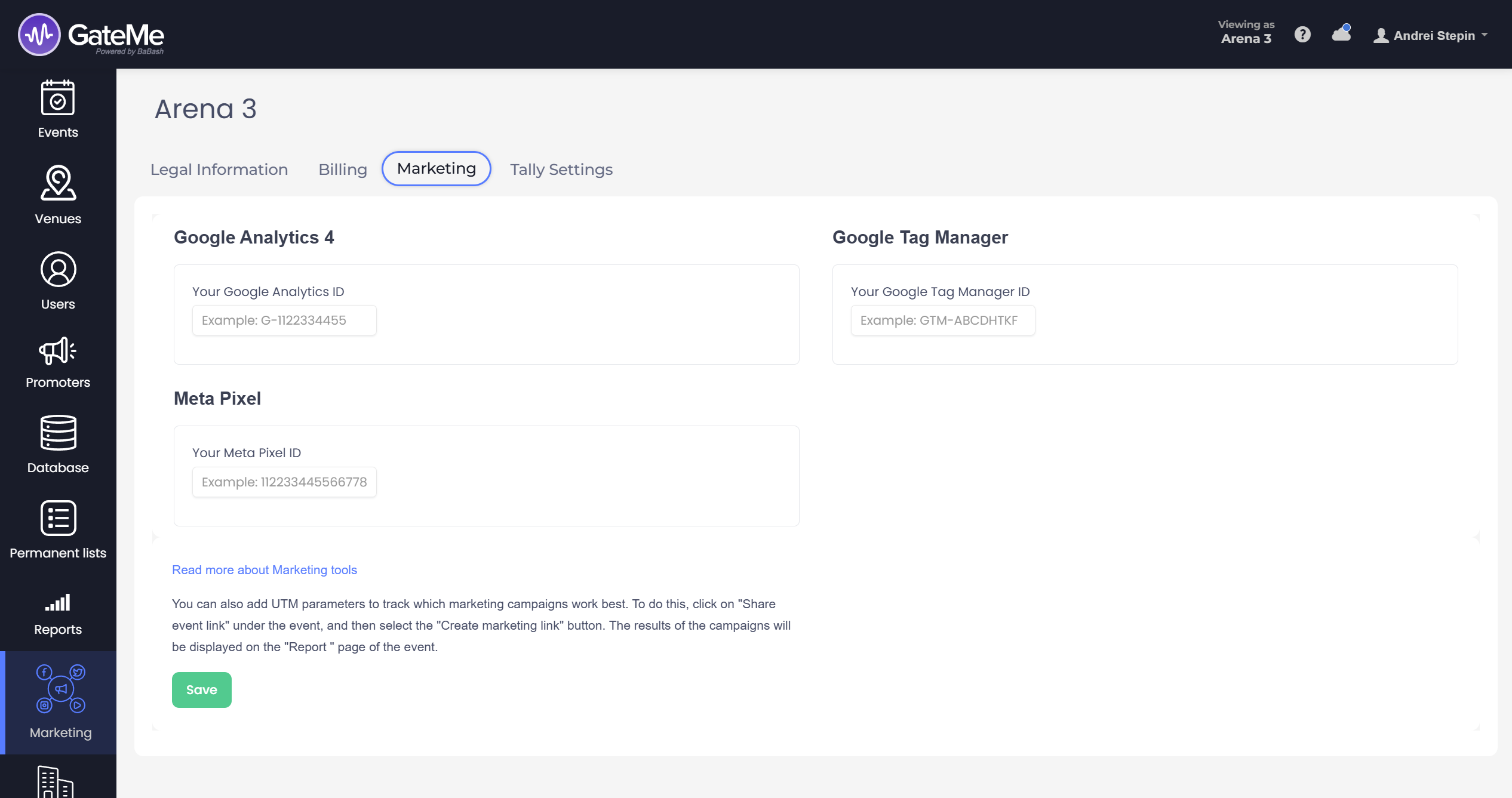
The “Marketing” section—accessible from the left-hand sidebar—lets you connect your GateMe events to key marketing tools that help you measure and optimize your event campaigns.
Here’s what you can configure on this page:
🔍 Google Analytics 4
Track visitor interactions and behavior across your event pages. Simply enter your Google Analytics ID (e.g., G-1122334455) into the provided field. This allows you to gain insights into how users engage with your listings.
📦 Google Tag Manager
Add your Google Tag Manager ID (e.g., GTM-ABCDHTKF) to manage and deploy marketing tags without having to modify code on every event page. It’s perfect for marketers who want flexibility and control over their analytics stack.
🎯 Meta Pixel
Enter your Meta Pixel ID (e.g., 1122334455666778) to track Facebook and Instagram ad performance. With this, you can better retarget visitors and measure conversions coming from your Meta ad campaigns.
If you are running Meta (Facebook/Instagram) ads, GateMe automatically tracks traffic and conversion performance via Meta’s URL parameters — no manual tagging needed. You can read more about it on the Reports page.
🔗 UTM Campaign Tracking
Want to track which promotional campaigns bring the most ticket sales?
Here’s how:
-
Go to your event and click “Share event link”.
-
Choose “Create marketing link” to add UTM parameters.
-
Once your campaigns start running, their performance will appear in the “Report” section of the event.
You can read more about the UTM Marketing links on the Promote page.
For Event Organizers
Event Creation
Marketing Tools
Reports
Payouts
Marketing&Tracking
Promote Event
Promoters
Seated Tickets
Promo Codes
Permanent Lists
Additional Questions
Check-In Guests
Staff&Users
Free Tickets
Refunds
Database
Guest Lists
For Ticket Buyers
Recover Your Tickets